


By Jared Seitz
Posted in
October 22, 2026
Online Ordering
B2B Portals
A customer phoned in an order last month. Can they reorder it online?
A B2B ordering portal lets customers reorder what they bought last time, so they don't call and your team doesn't retype it. They can also see where each order is.
Acro builds ordering portals for manufacturers and distributors. Pick what you want customers to do online and answer one question for each. You'll see what your systems can already support, and what to fix first.
How does a customer reorder without calling you?
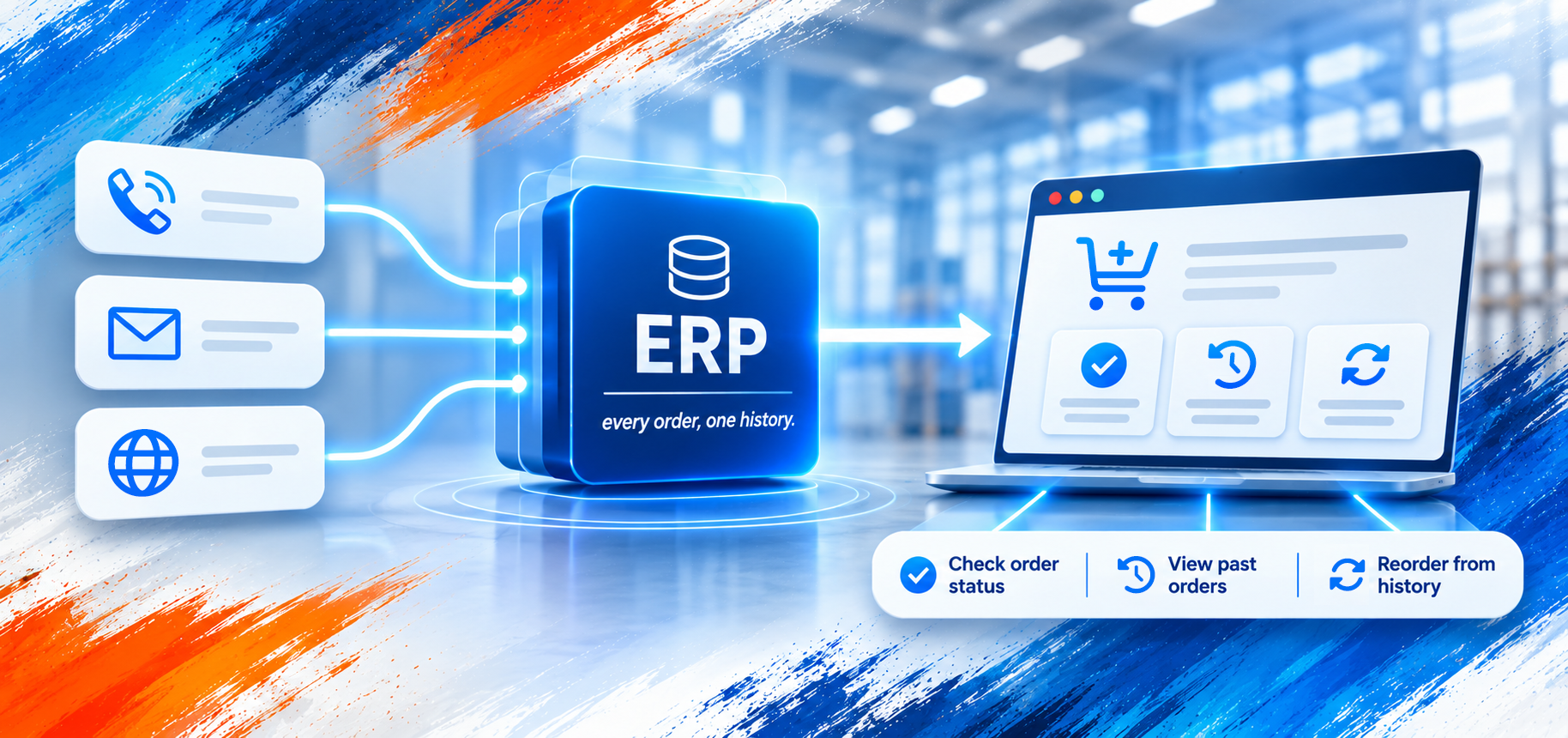
Once they log in, customers can open any past order and add the same items to a new one. They can keep a list of what they buy most. They can type a part number to add an item fast. They see their own prices too, pulled from your ERP.
Example: A dealer phones in an order in March. Your team enters it in your ERP. In April, the dealer logs in, opens that order and places it again. The dealer doesn't call, and your team doesn't retype it.
Most B2B buyers would rather skip the rep. In a Gartner survey of 646 B2B buyers, published in March 2026, 67% said they prefer to buy without a sales rep.
Some customers use their own part numbers, not yours. ERPs like Acumatica and Business Central can store each customer's part number next to yours. Make sure the portal can search by the customer's part numbers too.
Why are some past orders missing from the portal?
Phone and email orders go into your ERP. If the portal doesn't show order history from your ERP, those orders are missing. The order your customer wants isn't there, so they call you.
The fix: have the portal show each customer's order history from your ERP, and send every web order into the ERP too. Then nothing is left out. For Accurate Industries, Acro connected the company's website to Acumatica, its ERP, so online and offline orders sync automatically.
How do customers check order status in the portal?
Customers open an order in the portal and see its status and tracking numbers, pulled from your ERP or your shipping system.
Use words your customer knows. Your ERP's status names may not mean much to them. They want to know if the order is waiting on stock, on its way, or done. If it's waiting on stock, show the date you expect it. The portal can only show that date if your ERP holds it.
Some orders ship in parts, on different days. Show each shipment with its own tracking number. Otherwise the customer sees one number and wonders where the rest went.
If an order doesn't reach your ERP, the portal should flag it to the customer and your team. Then someone fixes it before the customer is left waiting.
How do customers manage orders and quotes in one place?
A good portal keeps each quote next to the customer's past orders, and turns an accepted quote into an order.
Some customers need a price before they buy. They ask for a quote in the portal, or a rep builds one for them. Your team sets the price. The quote then shows up in the customer's account, next to their past orders.
When the customer accepts the quote, it should become an order at the quoted price. Nobody should have to type it in again. Each time someone retypes an order, the price can come out wrong.
Quotes for custom-built products take more work, because the price often depends on the options the customer picks.
Can your sales reps order for a customer?
Some customers will still call. When they do, your rep can open that customer's account in the portal and place the order there. The rep sees the same prices and past orders the customer sees. The order lands in the customer's history, so they can find it next time and reorder it themselves.
A rep can also build a cart and leave it for the customer to check and send.
Make sure your portal lets reps do this. You'll also want to limit which accounts each rep can open.
What if a manager has to approve orders?
Some of your customers may need a manager to approve each order. A buyer fills the cart, and a manager approves it. The rule might be a spending limit or the buyer's role. The portal holds those rules, so only approved orders reach your ERP. If your customers work this way, make sure your portal supports approvals.
Next Step
Do customers still call to reorder, or to ask where an order is?
Pick "Reorder past orders" and "Track their orders" in the box at the top of this page. You'll see what your systems can already support, and what to fix first.
Common questions
No. Customers handle routine reorders themselves, so your reps type in fewer orders. Their time goes to customers who need a person.
It depends on your ERP. Acumatica, for one, won't let you cancel an order once it has a shipment. So the portal should check the order's status first. Then it only offers changes that can still happen. Decide which changes customers can make, and which go to your team.
Yes. Some large customers buy through their own purchasing software instead of your portal. Their software can send orders straight to your systems, often by EDI. Those orders should land in your ERP like any other, so they show up in the customer's history with the rest.
Project timeline depends on the complexity of your build, and availability of existing ERP integrations. The more data currently flowing, the less there is to build and configure. Contact Acro Commerce to discuss your project requirements and estimate pricing.
B2B portal pricing depends on project requirements. First, we'll need to identify how your customers intend to use your portal. Next, we'll determine how orders feed into your ERP, and what information can be fed out. The more data already flowing, the less there is to build and configure. Contact Acro Commerce to assess your project requirements and estimate pricing.
Related Articles
Manufacturer digital self-service: the complete guide to B2B buyer portals
- What B2B buyers actually want online: the manufacturer self-service report
- Pre-built B2B portal vs custom portal: how manufacturers should choose
- How to roll out customer self-service without disrupting sales reps
- What does a manufacturer's B2B customer portal need to include
- Acumatica spotlight: a mid-market manufacturer dealer portal built on Acumatica
- Acumatica spotlight: distributor self-service at scale