


By Jared Seitz
Posted in
October 22, 2026
(P4 draft) 12 things a B2B self-service portal should do
B2B Portals
12 things a B2B self-service portal should let your customers do
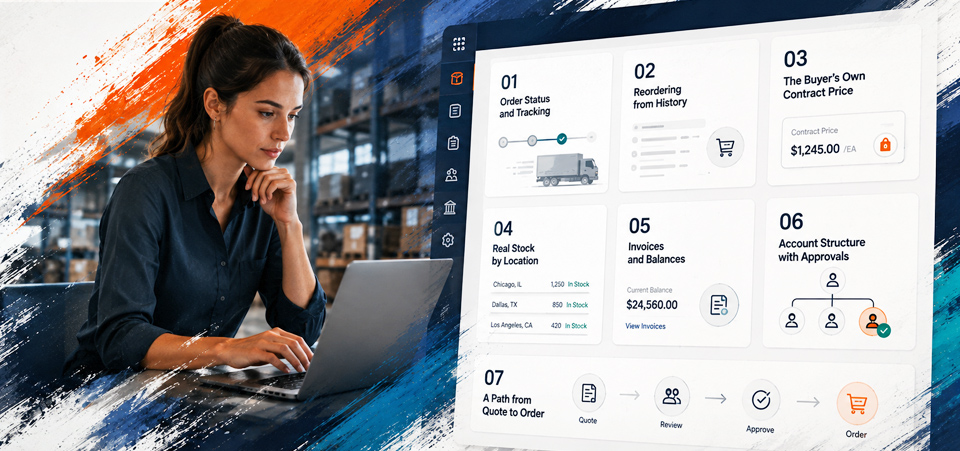
A good B2B portal lets customers do the jobs they phone or email you for today. Each job only works if your ERP can supply what's behind it.
New to portals? Start with our guide to B2B portals.
The checklist
| What customers do | What your ERP supplies |
|---|---|
| Reorder from a past order | Each account's order history, with current part numbers |
| See their own price | Each account's price, discounts and terms in one place. If some prices live in spreadsheets or a rep's head, the portal can't show them. |
| Check stock before they order | Live stock, by warehouse if you have more than one. |
| Track an order | Order status. Tracking numbers come from your ERP or your shipping system. |
| Ask for a quote, then turn it into an order | The prices for each quote. Ask how an accepted quote becomes an order on your platform. That step is where quotes often get typed in again. |
| Find and pay invoices | Open invoices and statements. The portal takes the payment. |
| Send an order to a manager for approval | Which account each buyer belongs to. Roles, approvals and spending limits live in the portal, and not every platform has them. |
| Add or remove buyers at their company | Each contact, linked to the right account. A company admin manages their own team. |
| Order from their own purchasing system | A way to take those orders in. Ask which customers need this before you build it. |
| See their payment terms and credit | Credit limits and live balances. Some platforms hold an order over the limit. On others, your ERP catches it after the order comes in. |
| Start a return | The original order, so the return links to it. Your team approves each return. |
| Ask for help with an order | The order details, so your team can see the history. The request itself usually goes to your help desk, not your ERP. |
What gets in the way
A portal can only show what your ERP knows. Three data gaps hold portals back:
- Prices kept outside the ERP, in spreadsheets or a rep's head. Why the website price may not match the invoice.
- Stock numbers that are a day old. What happens when you oversell stock.
- Orders typed in again by hand. Where order desk time really goes.
Fix those first, and the portal gets easier to build on any platform.
Buyers want this. In a Gartner survey published in March 2026, 67% of B2B buyers said they prefer buying without a sales rep.
Related Articles
Manufacturer digital self-service: the complete guide to B2B buyer portals
- What B2B buyers actually want online: the manufacturer self-service report
- Pre-built B2B portal vs custom portal: how manufacturers should choose
- How to roll out customer self-service without disrupting sales reps
- What does a manufacturer's B2B customer portal need to include
- Acumatica spotlight: a mid-market manufacturer dealer portal built on Acumatica
- Acumatica spotlight: distributor self-service at scale
Frequently Asked Questions
No. For one week, list what customers ask your team for. Build the top three first, then add the rest once customers use the portal.
Some will. A portal won't stop every emailed order. Plan for those too, so they reach your ERP without someone typing them in again.
The one that fits how you price, stock and approve orders, and connects to your ERP.
Next Step
Not sure which platform fits?
Answer a few questions about how you sell and which ERP you run. Celeste, our free check, shows which platforms suit you. You don't need to log in, and it takes about three minutes.